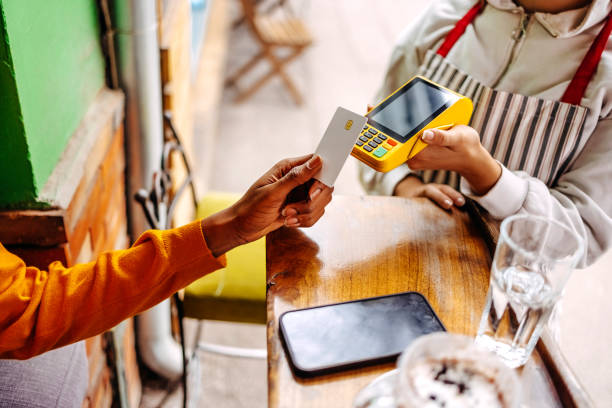
Picture this: You’re at a crowded networking event, juggling a drink, your phone, and a stack of paper business cards that’s growing by the minute. Someone interesting approaches, you exchange cards, and yours immediately disappears into their pocket—likely never to be seen again. Sound familiar? There’s a better way, and it fits right in your wallet.
Welcome to the world of NFC business cards, where a simple tap replaces the fumble, and your contact information flows seamlessly into someone’s phone. No app downloads, no typing errors, no lost cards in the laundry. Just tap, connect, and move forward. It’s networking technology that finally feels as effortless as it should be.
What Exactly Is an NFC Business Card?
An NFC business card looks like a regular business card—sleek, professional, pocket-sized—but it contains a tiny chip that communicates with smartphones using Near Field Communication technology. This chip stores your contact information, social media profiles, website links, and virtually any digital content you want to share.
When someone taps your card against their smartphone, the NFC chip activates and instantly transfers your information. No batteries required, no charging needed. The technology works through electromagnetic induction, meaning the phone’s NFC reader powers the chip during that brief connection. It’s the same technology behind contactless payments, transit cards, and keyless entry systems you use every day.
The beauty lies in its simplicity. While traditional business cards sit idle in desk drawers, NFC cards create an immediate digital bridge between you and your new contact. They represent the intersection of tactile professionalism and digital convenience—a physical handshake that opens digital doors.
How NFC Technology Actually Works
Near Field Communication operates on radio-frequency identification principles, creating a wireless connection between two devices within a few centimeters of each other. This short range is actually a security feature that requires intentional interaction rather than passive scanning.
Inside your NFC business card, a microchip connects to a tiny antenna coil. When a smartphone comes near, the phone’s magnetic field powers the chip long enough to transmit data in milliseconds. The chip contains standardized records that smartphones universally recognize, telling the phone what type of information it’s receiving and how to handle it.
Most modern smartphones support NFC natively. iPhones since the iPhone 6 and most Android devices include NFC readers. No special apps or setup required—it just works when you tap.
The Advantages That Change Everything
Environmental sustainability ranks among the most compelling benefits. Americans throw away approximately 88% of traditional business cards within a week, creating tons of paper waste annually. One NFC card replaces thousands of paper cards over its lifetime, significantly reducing your environmental footprint while maintaining professional networking standards.
Cost efficiency becomes apparent over time. While NFC cards cost more upfront than paper cards, they eliminate recurring printing expenses. Update your job title, phone number, or company affiliation anytime through your digital profile—no reprinting necessary. This flexibility proves invaluable in dynamic career situations where information changes frequently.
Data accuracy improves dramatically. Traditional cards require manual entry, introducing typos and transcription errors that can cost business opportunities. NFC transfers ensure perfect accuracy every single time. Your contact reaches their phone exactly as you intended, with properly formatted phone numbers, correctly spelled email addresses, and working website links.
Memorability sets you apart in crowded networking environments. While others distribute forgettable paper cards, you’re the person with the cool tech card that everyone wants to try. This novelty creates conversation starters and makes you significantly more memorable. People remember experiences more than objects, and tapping your card creates a memorable interaction.
Analytics and insights offer unprecedented networking intelligence. Many NFC platforms track when someone taps your card, where connections happen, and which information they access most. This data helps you understand networking ROI, identify valuable connections, and refine your approach based on actual engagement metrics.
Setting Up Your Digital Profile
Creating your digital presence starts with choosing an NFC provider or platform. Popular options include Linq, Popl, Mobilo, and Dot Cards, each offering different features and pricing. Profile customization determines what appears when someone taps your card—your name, job title, company, phone number, email, and social media links.
Visual presentation matters. Upload a professional headshot, add your company logo, and choose colors that align with your brand. Many platforms allow custom backgrounds, video introductions, and embedded content that brings your profile to life.
Advanced features expand capabilities significantly. Add multiple contact methods, direct links to scheduling calendars, payment information, or embedded videos. Some professionals include digital portfolios, testimonials, or augmented reality experiences. Testing across different devices ensures everything works perfectly before your next networking event.
Choosing the Right NFC Card
Material quality impacts both durability and impression. Premium options include metal cards that feel substantial, bamboo or wood cards emphasizing sustainability, and recyclable PVC balancing affordability with resilience. Your choice communicates values—metal suggests premium positioning, wood conveys environmental consciousness.
Design customization ranges from minimalist clean layouts to elaborate full-color graphics and holographic effects. Consider industry norms—creative fields appreciate bold designs, while corporate environments favor understated elegance. Chip placement affects user experience, with center positions working best for intuitive tapping.
Price considerations vary based on features and materials. Basic NFC cards start around $10-15 per card with volume discounts. Mid-range options with custom designs run $20-40 each, while high-end metal cards can exceed $50-100, positioning them as statement pieces for executives.
Using Your NFC Card Effectively
Proper tapping technique ensures consistent success. Hold the card flat against the back of the smartphone, near the top or center where NFC readers typically locate. Maintain contact for 1-2 seconds—long enough for recognition but not awkwardly long. If nothing happens immediately, try different positions or ask if NFC is enabled.
Strategic deployment maximizes impact. Lead with traditional introduction and conversation, then present your NFC card as the natural next step. Frame it positively: “Let me share my contact info—this makes it super easy” rather than making the technology the conversation focus. The card should facilitate connection, not become the main attraction.
Backup plans prepare you for technology limitations. Approximately 10-15% of smartphones lack NFC capability or have the feature disabled. Carry a few traditional business cards for these situations, or ensure your NFC card includes a printed QR code that achieves similar functionality through camera scanning.
Follow-up leverages the connection you’ve created. Many NFC platforms notify you when someone taps your card, providing perfect timing for personalized follow-up messages. Reference your conversation specifically, add value through relevant resources, and maintain momentum while the interaction remains fresh in both minds.
Common Concerns and Misconceptions
Security worries often arise around data transmission and privacy. NFC technology is inherently secure due to its extremely short range—you must intentionally tap, preventing passive data harvesting. The information transmitted is only what you’ve chosen to share, and you control your digital profile completely. NFC doesn’t access the tapper’s phone data or install anything without permission.
Compatibility questions persist despite widespread adoption. Today, approximately 90% of smartphones in circulation support NFC technology. Most iPhones from 2014 onward and nearly all Android devices from 2012 onward include NFC readers. For the small percentage without capability, many NFC cards include alternative connection methods like QR codes.
Technical difficulties are rare but manageable. If someone’s phone doesn’t respond, common fixes include enabling NFC in phone settings, removing thick phone cases that block signals, or trying different tap positions. These minor troubleshooting moments rarely disrupt networking flow and often lead to friendly technical conversations.
Cost concerns diminish when viewing NFC cards as long-term investments rather than disposable expenses. While initially pricier than paper cards, they last for years and eliminate recurring printing costs. Many professionals find that one NFC card replacing 500-1000 paper cards delivers significant savings and environmental benefits over time.
The Future of Business Networking
Integration with emerging technologies expands NFC capabilities continually. Augmented reality experiences launch from card taps, presenting 3D business presentations or virtual showrooms. Artificial intelligence personalizes content based on context, while blockchain verification adds authentication for high-stakes environments.
Sustainability initiatives drive adoption as corporations emphasize environmental responsibility. Digital business cards align perfectly with paperless goals and carbon reduction commitments. Professional expectations are shifting gradually, with digital-first networking becoming normalized, especially among younger professionals and tech-forward sectors.
Making the Switch: Getting Started
Transitioning to NFC cards requires minimal adjustment. Research providers that match your needs—compare features and read reviews before committing. Most platforms offer straightforward setup taking 10-15 minutes from registration to fully customized profile.
Ordering your first card involves design choices reflecting your professional identity. Select materials and layouts aligning with your industry and personal brand. Many providers offer design templates simplifying the process while allowing customization.
Integration with existing tools maximizes efficiency. Connect your NFC profile to your CRM system or contact management software. Practice with friends and colleagues before high-stakes networking situations to develop smooth execution and confidence.
Real-World Success Stories
Sales professionals report dramatic conversion improvements after switching to NFC cards. One real estate agent noted that 80% of people who tapped her card contacted her within a week, compared to roughly 20% from traditional cards. The immediate digital connection dramatically improved follow-through rates.
Creative professionals showcase portfolios instantly. Photographers, designers, and artists embed galleries directly in profiles, allowing potential clients to view work immediately during conversations. This instant access has led to on-the-spot bookings and project discussions that might otherwise require waiting for email attachments.
Frequently Asked Questions
Do NFC business cards work with all smartphones?
NFC business cards work with most modern smartphones manufactured from 2012-2014 onward. Nearly all recent iPhones (iPhone 6 and newer) and Android devices support NFC technology natively. If someone has an older device, many cards include backup QR codes that provide similar functionality. In practice, about 90% of people you meet will be able to tap your card immediately.
How do I update information on my NFC business card?
Updating your NFC card happens through your provider’s platform, not the physical card. Log into your account, modify any information in your digital profile—phone numbers, job titles, social links, photos—and save changes. Updates appear instantly the next time someone taps your card. The physical card never needs replacing unless damaged.
Are NFC business cards secure and private?
Yes, NFC technology is very secure due to its extremely short communication range. Unlike Bluetooth or Wi-Fi, NFC requires intentional physical proximity, preventing passive data harvesting. The technology only transmits information you’ve chosen to share. Tapping an NFC card doesn’t access any data on the recipient’s phone or install applications without permission.
How long do NFC business cards last?
Quality NFC cards typically last 2-5 years with regular use. The chip and antenna don’t have moving parts or batteries that degrade. Metal cards tend to last longest, followed by quality PVC. Unlike traditional cards that become outdated with any information change, NFC cards remain current indefinitely through digital profile updates.
What happens if someone doesn’t have NFC on their phone?
Most quality NFC cards include backup solutions like printed QR codes that provide the same information when scanned with the phone’s camera. Alternatively, keep a few traditional paper cards as backup. This situation occurs infrequently and doesn’t disrupt networking flow when you’re prepared.
Can I have multiple NFC business cards with different information?
Absolutely. Many professionals maintain multiple NFC cards for different contexts—one for corporate networking, another for freelance work, and perhaps a third for side projects. Each card can link to a separate digital profile with unique information and branding.
How much does an NFC business card cost?
Pricing varies based on materials and features. Basic cards start around $10-15 each with volume discounts. Mid-range cards with custom designs run $20-40 each. High-end metal cards can cost $50-100 or more. Consider also the platform subscription—some providers charge $5-15 monthly for profile hosting and analytics.
Do I need a special app for my NFC business card to work?
No special app is required for basic functionality. Modern smartphones recognize NFC tags natively and handle the data automatically. Recipients simply tap and their phone does the rest. Some providers offer companion apps for enhanced features, but these are optional and typically used by the card owner.