
Choose WooCommerce hosting that stays fast and secure: NVMe, Woo-aware caching, Redis, CDN, backups, WAF/DDoS, and scaling for smooth checkout.
We once took over a Woo store that was “fine” — until traffic hit. Product pages dragged. Checkout spun. The site crashed during ad pushes. The owner blamed the theme.
It wasn’t the theme.
It was cheap blog-style hosting trying to run an e-commerce engine.
That hurts in two ways: rankings and revenue. Research from the Baymard Institute shows that average cart abandonment rates are above 70%. Speed isn’t the only factor — but every extra second adds friction.
Give me 10 minutes, and you’ll know:
- What’s worth paying for
- What to avoid
- What actually reduces load time (without breaking checkout)
What Is WooCommerce Hosting (And Why Normal WordPress Hosting Often Fails)
WooCommerce hosting is infrastructure optimized for dynamic e-commerce workloads, not static blogs.
A blog can be aggressively cached.
A store cannot.
WooCommerce constantly handles:
- Logged-in sessions
- Cart updates
- Checkout transactions
- Shipping/tax API calls
- Coupon validation
- Heavy database reads
Poor hosting leads to:
- Slow product filters
- Checkout timeouts
- Database bottlenecks
- Bad Core Web Vitals
The 6 Factors That Decide Whether Your Store Feels Fast
Treat this as your buying checklist. If a host can’t clearly answer these — walk away.
1) Server Resources (CPU/RAM + Spikes)
Sales, ads, and email blasts create traffic spikes.
You need:
- Clear CPU & RAM allocations
- PHP workers sized for Woo
- Autoscaling (or elastic cloud infrastructure)
If resources are vague, performance will be too.
2) Woo-Compatible Caching
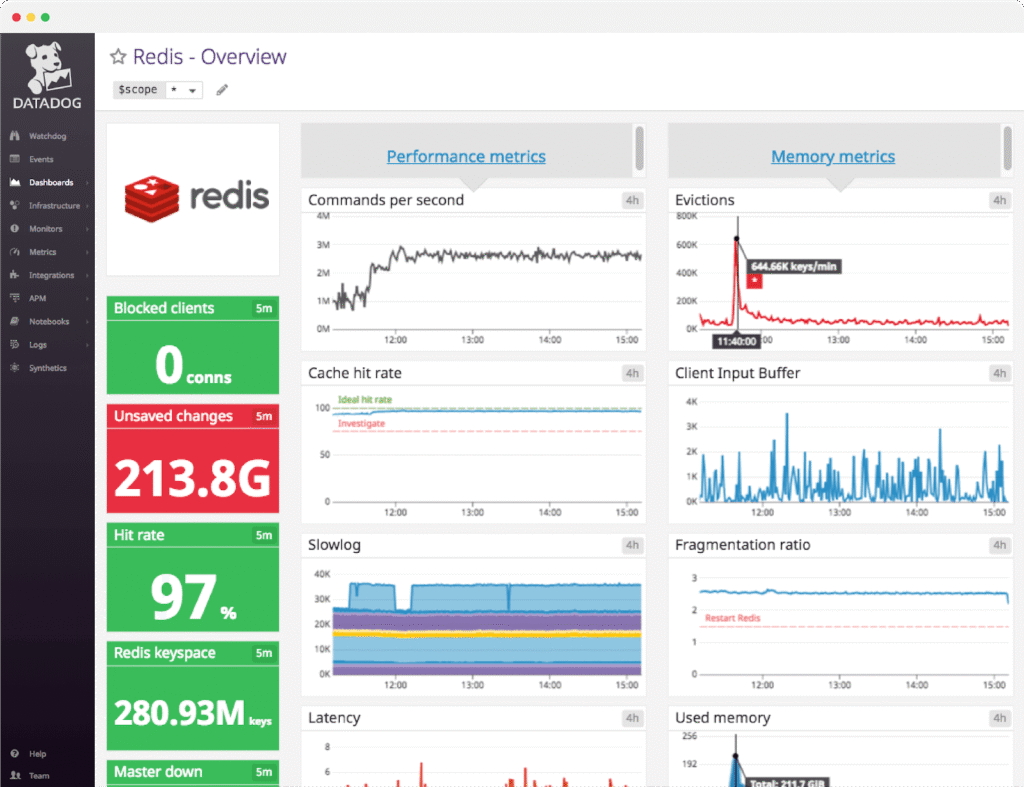
Caching must be Woo-aware:
- No page caching for cart/checkout/my-account
- Proper logged-in handling
- Object caching via Redis
Redis object caching reduces repeated database queries — especially during cart actions and checkout. It’s often the biggest performance lever in serious WooCommerce hosting.
3) CDN + Image Optimization
If visitors are geographically distant, latency increases.
You want:
- CDN integration (e.g., Cloudflare)
- WebP or AVIF image support
- Compression + lazy loading
CDN + optimized images = instant global performance gain.
4) Modern Stack (Storage + Web Server)
Look for:
- NVMe storage
- LiteSpeed or Nginx
- PHP 8.1+ (8.2 preferred)
- OPcache enabled
- HTTP/2 minimum
- HTTP/3 support
Modern stack = lower latency + better concurrency handling.
5) Database Optimization
WooCommerce tables grow fast:
- Orders
- Sessions
- Transients
Good hosts:
- Tune MySQL/MariaDB
- Monitor slow queries
- Clean expired data
This is often what separates “WordPress hosting” from true WooCommerce hosting.
6) Real Uptime + Scaling
“99.9% uptime” is marketing unless there’s transparency.
Look for:
- Public status page
- Clear scaling policy
- WAF + DDoS protection
E-commerce gets attacked more often. Protection matters.
Shared vs VPS vs Managed WooCommerce Hosting
There is no one-size-fits-all answer.
Shared Hosting
Best for:
- Small stores
- Low traffic
- Tight budgets
Risks:
- Resource throttling
- Loud neighbors
- Weak database performance
Cheap shared hosting rarely equals real WooCommerce hosting.
VPS / Cloud Hosting
Best for:
- Growing stores
- Marketing campaigns
- Tech-capable teams
Risks:
- You manage updates, tuning, and security
- Requires sysadmin knowledge
A well-managed VPS can be excellent.
Managed WooCommerce Hosting
Best for:
- Serious stores
- High order volume
- Revenue-sensitive businesses
Pros:
- Woo-tuned stack
- Caching preconfigured
- Monitoring included
Cons:
- Higher cost
- Some plugin limitations
If you’re asking for “the best WooCommerce hosting,” you’re usually describing this tier.

Don’t Get Tricked: What Sales Pages Hide
1) “Unlimited” Isn’t Unlimited
Check:
- CPU limits
- Inode limits
- Process caps
If it’s not listed clearly — ask.
2) Intro Price vs Renewal
Year 1 discounts can double at renewal.
Always calculate long-term cost.
3) Weak Backups
You need:
- Daily backups
- Easy restore (1-click or fast support)
E-commerce downtime costs money.
4) Generic Support
Test presales.
Ask about:
- Redis configuration
- Cart caching exclusions
- PHP worker limits
Their answer tells you everything.
Minimum Requirements Checklist
Your hosting should include:
- PHP 8.1+ (8.2 preferred)
- OPcache enabled
- MySQL 8+ or MariaDB equivalent
- Free SSL
- Staging environment
- Malware scanning
- Woo-aware server cache
- Redis option
- Daily backups
- CDN integration
- Uptime monitoring
- DDoS/WAF option
- NVMe storage
- HTTP/2 or HTTP/3
- Transparent CPU/RAM limits
If it doesn’t meet this list, it’s not serious WooCommerce hosting.
Moving Hosts Without Losing Sales
Safe migration steps:
- Clone site to staging
- Test checkout (coupons, shipping, taxes)
- Create test orders
- Verify payment webhooks + emails
- Move during a low-traffic window
- Lower DNS TTL
- Switch DNS
- Monitor logs for 24–48 hours
Most stores see immediate improvement — especially mobile speed.
FAQs
What is the best hosting for WooCommerce?
For most revenue-generating stores: managed hosting.
Should I use managed WooCommerce hosting?
Not always. Small, stable shops can run on strong shared or managed VPS plans.
How much traffic can shared hosting handle?
Usually, a few thousand visits/day — but ad spikes break weak plans.
Does WooCommerce need a CDN?
If you serve multiple regions, yes.
What improves checkout speed the most?
Woo-aware server caching + Redis object cache.